


S'moresUp - Smart Chores App
3.1423.00 Reviews
App Specs
- Version
- 10.07.24
- Updated On
- License
- Free
- Downloads
- 100,000+
- Developer
- Rotation 5, LLC
- Categories
- Parenting
- Platform
- Android
Screenshots
 Analysis by AppCompare
Keeping family chores organized sounds simple until reminders are missed, responsibilities become unclear, and one parent ends up managing everything. I found S'moresUp most useful as a shared parenting app that turns household tasks into something the whole family can see and discuss. It is not just a checklist on one phone: its value depends on family members staying connected to the same system and actually checking it.
That connected approach makes the app appealing for families who want more structure without holding another daily meeting about who should do what. At the same time, it also creates the main weakness I noticed: the experience is much less useful when family members are not actively opening the app, responding to changes, or keeping their responsibilities current.
How S'moresUp fits into real family routines
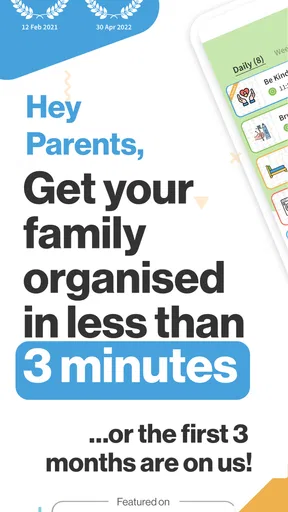
Developed by Rotation 5, LLC, this free parenting app is designed around shared household organization. It has been available since December 12, 2018, and its current version is 10.07.24. The app is suitable for Everyone and works on devices running Android 5.0 or later, which makes it accessible even to families using older phones.
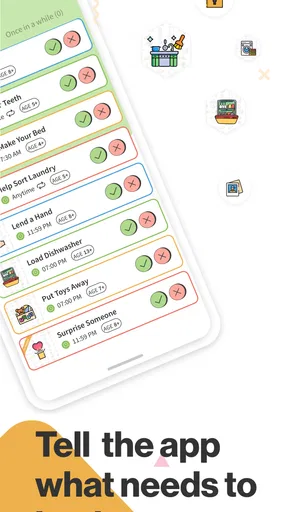
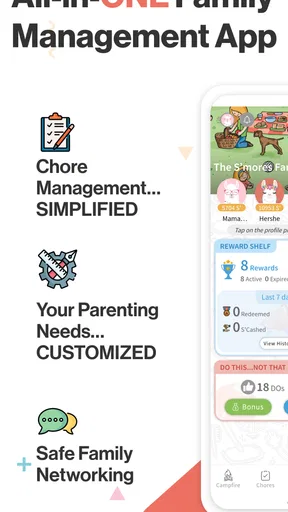
The basic idea is easy to understand. Parents can organize chores and expectations in one place instead of relying on scattered notes, spoken reminders, or a calendar that only one person checks. In my experience, the strongest benefit is not the individual task itself. It is the shared visibility: a child can see what is expected, a parent can see whether the routine is moving along, and everyone has a clearer reference point when there is confusion.
That distinction matters. A conventional notes app can hold a list, but it does not naturally create a family routine. A paper chart can work well for younger children, but it is easy to forget when the family is away from home. A general calendar is better for appointments than repeated household responsibilities. S'moresUp sits between those options, focusing specifically on the everyday work that keeps a home running.
I would not describe it as a magic solution for motivation. An app can make responsibilities visible, but it cannot make every child enthusiastic about taking out the trash or putting away laundry. The practical improvement comes from reducing arguments about what was requested and when it was supposed to happen. That makes the app more valuable for consistency than for discipline.
Why shared connectivity matters
The connected nature of the app becomes most noticeable when a family routine changes during the day. Imagine a parent leaving work late and needing to adjust who handles dinner cleanup, or a child finishing a task earlier than expected and wanting the rest of the household to know. A shared system is more useful than a note stuck to the refrigerator because the information can follow the family between rooms, school, work, and errands.
Worth Reading Before You Choose

EA SPORTS FC Mobile 26 Is a Bigger Football Game, but It Takes Time

Flipboard Shows What News Apps Must Do Beyond the Feed

Switching to Android Auto Means Rethinking Your Driving Routine

Google Calendar Makes a Crowded Week Easier to Manage

Ludo King Makes the Most of the Minutes Between Plans

Baby Panda World Brings Quick Play to Modern Phones, but Its Game Library Feels Busy
This is also where expectations need to be realistic. The app's usefulness depends on timely access and participation. If one person is not checking the relevant information, a beautifully organized routine can still fail in practice. I recommend agreeing on a simple family habit: check responsibilities at a predictable point, such as before school, after dinner, or during the evening wind-down. Without that habit, the app risks becoming another place where information is stored but ignored.
The best setup is not necessarily the most detailed one. I found that a short list of recurring responsibilities is easier for a family to maintain than an elaborate plan covering every tiny action. Start with tasks that regularly cause friction, such as feeding a pet, loading the dishwasher, taking out recycling, or preparing school items. Once everyone understands the rhythm, add more detail only where it solves a real problem.
A useful, less obvious approach is to use the app as a neutral reference during disagreements. Instead of one parent repeatedly reminding a child, the family can look at the shared responsibility and discuss what needs to happen. That does not remove the need for parenting, but it can shift the conversation away from personal nagging and toward an agreed routine.
Using it away from the home screen
Parenting rarely happens while everyone is sitting comfortably at home. Families move through school runs, sports practices, appointments, holidays, and unexpected schedule changes. A mobile chore system is valuable because the household plan does not have to stay beside the refrigerator. I could imagine checking responsibilities while waiting in a pickup line, reviewing the evening routine from work, or confirming what still needs attention before bedtime.
That convenience has a trade-off. A phone can make the routine more available, but it can also make it easier to postpone. Children may glance at a task and then get distracted by other apps. Parents may open the app while busy and forget to return to it. For younger children, the phone is not automatically a better reminder than a visible physical chart. The right choice depends on age, reading ability, device access, and how much supervision the family already uses.
For families with older children, the mobile format makes more sense because it supports gradual independence. A child can be asked to check responsibilities without waiting for a parent to repeat them. I would still introduce this carefully. The goal should be for the child to own part of the routine, not for the parent to become a full-time administrator who constantly verifies every update.
One practical workflow is to separate planning from checking. Use a calm moment once a week to review recurring responsibilities, then keep daily interactions brief. This avoids changing the system every time someone is in a hurry. It also makes it easier to identify whether a task is genuinely too difficult, badly timed, or simply being avoided.
Another useful trade-off concerns shared devices. If the family relies on one parent’s phone, the app may improve that parent’s organization but not create true shared ownership. If several family members use their own devices, the routine can become more collaborative, but it also requires better communication about who is expected to look and when. The app works best when access matches responsibility rather than when every person is added without a clear role.
What happens when the routine breaks
Every chore system eventually meets a difficult day. Someone gets sick, an activity runs late, a phone battery dies, or a task is forgotten. I judge a family organizer less by whether it prevents every failure and more by whether it helps the family recover without rebuilding the entire plan.
With S'moresUp, I would treat missed responsibilities as information rather than proof that the system is useless. If the same chore is repeatedly skipped, the problem may be the timing, the wording, the assigned person, or the size of the task. A good recovery conversation asks what made the task fail. Was the child away? Was the instruction unclear? Did two people assume the other person would handle it? The shared record can help start that conversation, but the family still has to make the judgment.
Connectivity can complicate recovery when updates are not seen promptly. A parent may change an assignment, but another family member may continue following an older expectation until they check again. For that reason, I would not use the app as the only channel for urgent changes. If dinner plans have changed in the next ten minutes, say so directly. Use the app for the durable version of the routine, not as a substitute for immediate family communication.
This is one of the most important limitations for families considering the app. A connected organizer is not the same as a live conversation. It can reduce repeated explanations over time, but it cannot guarantee that every update is noticed at the exact moment it is made. Families with very unpredictable schedules may prefer a simpler approach, such as a visible whiteboard combined with direct messages for last-minute changes.
I also recommend creating a recovery rule before problems appear. For example, the family might agree that a missed task is reviewed during the next check-in rather than triggering a chain of angry reminders. That keeps the app from becoming a scoreboard of failures. It also makes the system more sustainable for children who are still learning time management.
Keeping the app useful without overloading the family
Because S'moresUp is free to download, it is easy to try without making an immediate financial commitment. The app includes in-app purchases ranging from $0.99 to $79.99 per item, so I would pay attention to any optional upgrade before treating the free starting point as the complete long-term experience. A family should first decide whether the core routine actually fits its habits before spending money on additional functionality.
My advice is to test the app with a narrow household problem. Do not begin by entering every chore, every expectation, and every possible exception. Choose a few responsibilities that happen often and are currently causing confusion. After the family has used that arrangement consistently, decide whether more structure would help or merely create maintenance work.
This approach is especially important for data-conscious households. Any connected parenting tool becomes part of the family's digital routine, so I would avoid entering unnecessary personal details just for the sake of making the system look complete. Keep task names practical, use only the family members and responsibilities needed for the routine, and review the app's current privacy and account information before inviting children or other relatives.
I also prefer clear, simple task wording. “Clean room” can mean something different to every person. “Put dirty clothes in the hamper and clear the floor” gives a child a more usable target. This is not a flashy feature, but it is one of the biggest differences between a chore app that supports independence and one that creates more arguments. The app can organize a task, but the parent has to define what completion means.
A less obvious benefit of a shared system is that it can reveal invisible household work. Families often track obvious chores while overlooking preparation, sorting, or follow-up. Reviewing the routine together may show that one person is repeatedly doing the unlisted work around a task. That can lead to a fairer division of responsibilities, provided the family treats the list as a conversation starter rather than an unquestionable authority.
Who will appreciate it, and who should choose something else
S'moresUp is a good match for parents who want a dedicated place for recurring household responsibilities and who are willing to establish a checking habit. It is particularly suitable when several people need the same view of the routine, when spoken reminders are becoming repetitive, or when children are ready to take more ownership of everyday tasks.
It may also help separated households or families with changing schedules, as long as everyone involved agrees on how updates will be handled. A shared reference can reduce misunderstandings when responsibilities move between homes or when plans change. However, the app cannot resolve disagreements about parenting expectations by itself. The adults still need to agree on the rules before the digital system can represent them clearly.
I would be more cautious about recommending it to families with very young children who cannot independently use a phone, households that prefer paper systems, or anyone looking for a broad family calendar rather than a chore-focused organizer. A general calendar may be better for appointments, school events, and travel. A simple checklist may be better for one adult managing a personal routine. S'moresUp makes the most sense when shared household participation is the central need.
The average rating is 3.1 from around a thousand ratings, alongside more than four hundred written reviews. I read that as a reason to approach the app with practical expectations rather than assuming it will suit every parenting style. Its concept is useful, but family organization is highly personal, and the connected workflow can feel like extra work if nobody has agreed to maintain it.
The app has passed the threshold of one hundred thousand installs, which suggests that its approach has reached a meaningful number of families. That does not guarantee a smooth experience for every household, but it does make the idea familiar enough to consider when ordinary reminders are no longer working. I would still judge it by whether it reduces friction in your specific home, not by its visibility in the parenting category.
My verdict on a connected chore system
After looking at how it fits into real routines, I see S'moresUp as a useful coordination tool rather than a replacement for parenting, conversation, or judgment. Its strongest quality is the ability to give household responsibilities a shared home that can travel with a mobile family. Its weakest point is the same thing: when people do not connect, check, or communicate, the system loses much of its value.
The best results come from using it as a calm shared reference, not as a digital nagging machine. Keep the initial setup small, define tasks clearly, agree on when everyone checks in, and use direct conversation for urgent changes. Those habits make the app more resilient when plans fail and prevent the chore list from becoming another source of pressure.
I would recommend trying the free version to families that are struggling with repeated reminders, unclear ownership, or uneven visibility of household work. I would skip it if you want a completely passive solution, if your family rarely uses mobile tools, or if a paper chart already works perfectly. For the right household, Rotation 5, LLC has created a focused parenting app that can make chores more visible and shared. For everyone else, its connected design may feel like one more routine to manage.
In short, the app is worth considering when the problem is coordination. It is less convincing when the real problem is motivation, conflict, or a schedule that changes too quickly for any shared list to stay current. Used with sensible limits and honest family communication, it can bring structure to everyday responsibilities without pretending that technology can do the parenting for you.
Pros
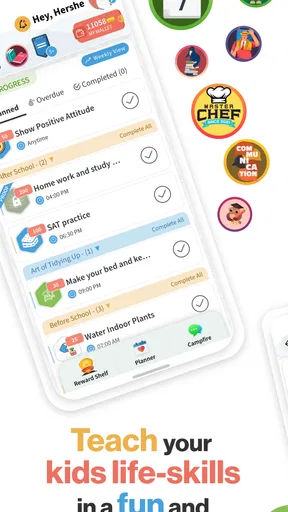
- Clear task assignments help children understand their responsibilities.
- Recurring chores reduce the need to recreate routines each week.
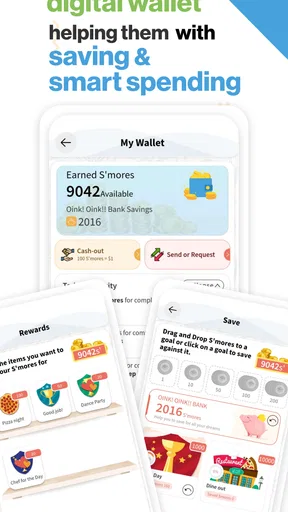
- Reward options can make household tasks more motivating for kids.
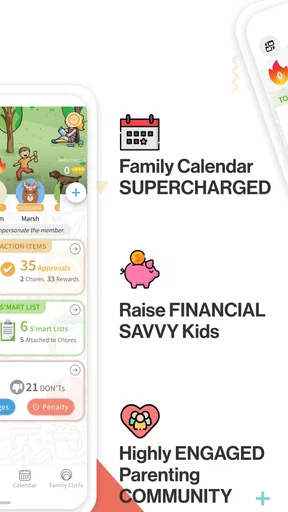
- Family members can coordinate chores from one shared dashboard.
- Progress tracking gives children a visible sense of achievement.
Cons
- Some useful features may require a paid subscription.
- The setup process can take time for larger or complex households.
- Children may need reminders before they consistently check the app.
- Reward systems may not suit families avoiding digital incentives.
- Notifications can become excessive if many chores are scheduled.
FAQs for S'moresUp - Smart Chores App
What is S’moresUp – Smart Chores App used for?
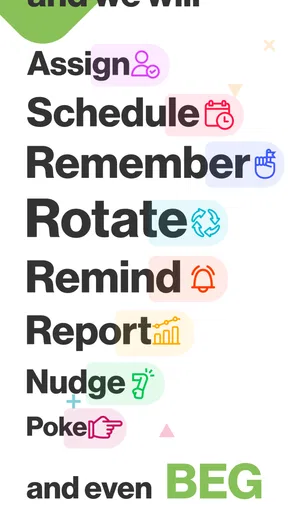
S’moresUp is a family organization app designed to help parents assign, schedule, and track household chores. After setting up family members, you can create recurring or one-time tasks, add due dates, and monitor completion from a shared dashboard. The app also supports rewards and points, making routine responsibilities easier to manage and more engaging for children.
Can children use S’moresUp independently, or is it mainly for parents?
The app is designed for both parents and children, but parents generally control the family setup, chore assignments, permissions, and reward rules. Children can view their assigned tasks, mark chores as completed, and check their progress through their own profiles. Younger children may still need guidance, especially when tasks require supervision or when the reward system is first introduced.
Does S’moresUp offer rewards for completing chores?
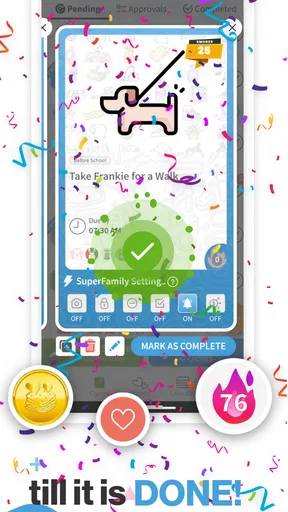
Yes, S’moresUp includes a customizable reward system that can connect completed chores with points, allowances, privileges, or other incentives chosen by the family. Parents can decide how many points tasks are worth and what those points can be exchanged for. This flexibility is useful because every household can create a reward structure that matches its children and routines.
Is S’moresUp free to download, and are there in-app purchases?
S’moresUp can generally be downloaded at no initial cost, but some features or expanded family-management tools may depend on the subscription plan or in-app purchases available at the time you install it. Pricing and included features can change, so it is important to review the current information on the Google Play Store or Apple App Store before subscribing or entering payment details.
Does S’moresUp protect family and children’s personal information?
Because S’moresUp handles family profiles, schedules, task history, and potentially information about children, parents should review the app’s privacy policy and account settings before use. Check what data is collected, how it is stored, whether information is shared with service providers, and what parental controls are available. Avoid adding unnecessary personal details and use strong, unique account credentials.


